Sound,
connected.
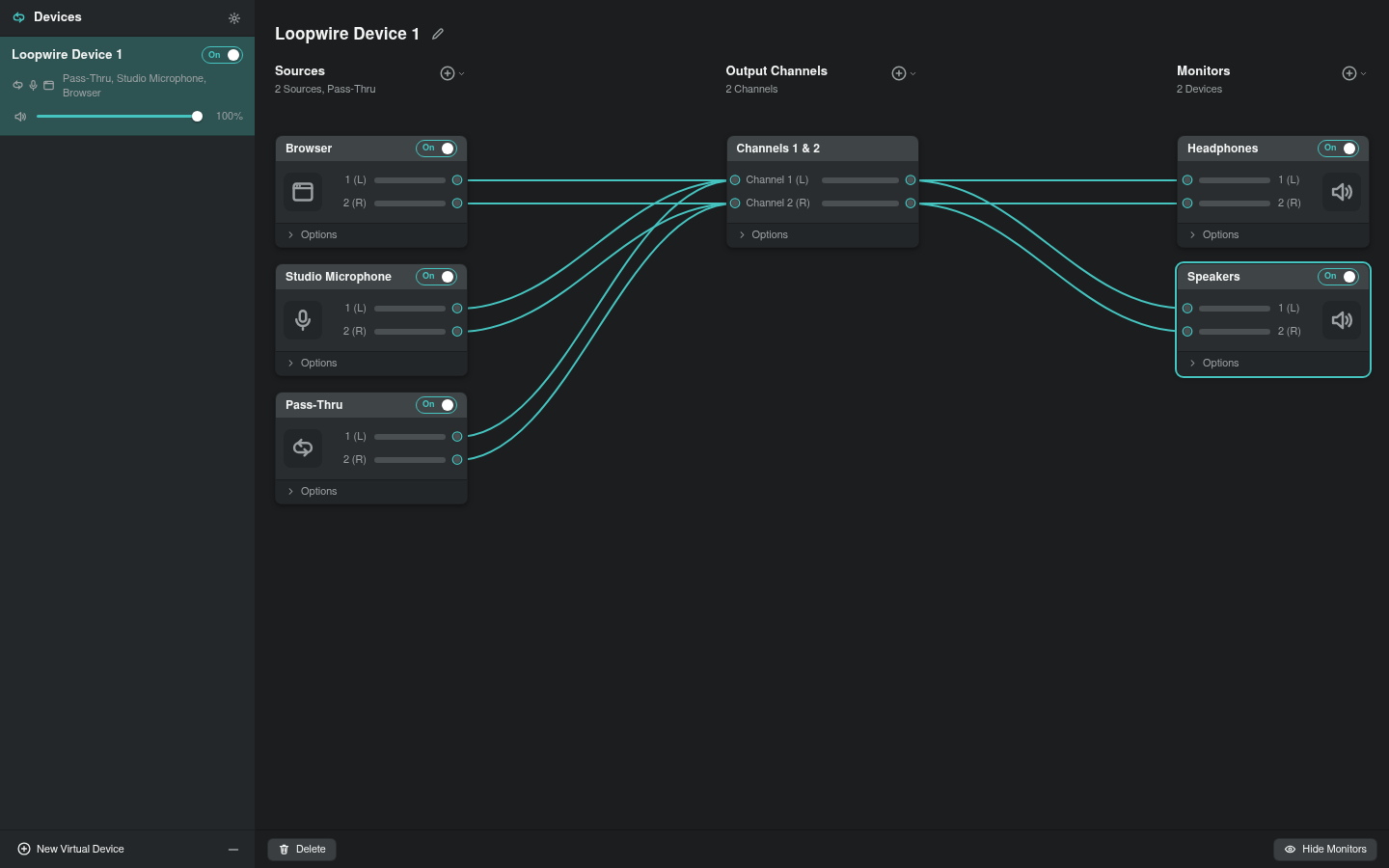
Bring apps, mics, and outputs together.
A virtual patch bay for Linux.
Install Loopwire
Installation guideDetects your platform. Verifies the download.
curl -fsSL https://loopwire.app/install.sh | bashRequirements & options
Recommended. Detects your Linux distribution and architecture, verifies the release, and installs or upgrades Loopwire. Shows each step before it runs. Uses a matching native package, an existing AUR helper, or Nix; otherwise a portable install. Requests approval for package-manager changes. Read the installer
Arch Linux · AUR
yay -S --needed loopwire-binRequirements & options
Prebuilt stable release for x86_64 and ARM64. Requires yay; if you use paru, replace yay with paru. Review the package build when prompted. No AUR helper? Use Automatic for a portable install. The loopwire, loopwire-bin, and loopwire-git packages conflict; choose one. View AUR package
Ubuntu 24.04 · x86_64
curl -fSLO https://github.com/sandwichfarm/loopwire/releases/download/v0.1.0/loopwire_0.1.0-1ubuntu24.04_amd64.deb &&
curl -fSLO https://github.com/sandwichfarm/loopwire/releases/download/v0.1.0/SHA256SUMS &&
curl -fSLO https://github.com/sandwichfarm/loopwire/releases/download/v0.1.0/SHA256SUMS.sig &&
curl -fsSL https://raw.githubusercontent.com/sandwichfarm/loopwire/7e0c6b17a5b12efc9f62df9a314781ad9fbb20ec/packaging/release-signing-public.pem -o loopwire-release-key.pem &&
openssl dgst -sha256 -verify loopwire-release-key.pem -signature SHA256SUMS.sig SHA256SUMS &&
sha256sum --check --ignore-missing SHA256SUMS &&
sudo apt install ./loopwire_0.1.0-1ubuntu24.04_amd64.deb
Requirements & options
Manual signed v0.1.0 package. Run these steps together in an empty folder; a failed check stops the install. Automatic handles these steps for you. Other Ubuntu versions and ARM64 use the portable path. APT repository setup and availability
Debian 13 · x86_64
curl -fSLO https://github.com/sandwichfarm/loopwire/releases/download/v0.1.0/loopwire_0.1.0-1debian13_amd64.deb &&
curl -fSLO https://github.com/sandwichfarm/loopwire/releases/download/v0.1.0/SHA256SUMS &&
curl -fSLO https://github.com/sandwichfarm/loopwire/releases/download/v0.1.0/SHA256SUMS.sig &&
curl -fsSL https://raw.githubusercontent.com/sandwichfarm/loopwire/7e0c6b17a5b12efc9f62df9a314781ad9fbb20ec/packaging/release-signing-public.pem -o loopwire-release-key.pem &&
openssl dgst -sha256 -verify loopwire-release-key.pem -signature SHA256SUMS.sig SHA256SUMS &&
sha256sum --check --ignore-missing SHA256SUMS &&
sudo apt install ./loopwire_0.1.0-1debian13_amd64.deb
Requirements & options
Manual signed v0.1.0 package. Run these steps together in an empty folder; a failed check stops the install. Automatic handles these steps for you. Other Debian versions and ARM64 use the portable path. APT repository setup and availability
Fedora 44 · x86_64
curl -fSLO https://github.com/sandwichfarm/loopwire/releases/download/v0.1.0/loopwire-0.1.0-1.fc44.x86_64.rpm &&
curl -fSLO https://github.com/sandwichfarm/loopwire/releases/download/v0.1.0/SHA256SUMS &&
curl -fSLO https://github.com/sandwichfarm/loopwire/releases/download/v0.1.0/SHA256SUMS.sig &&
curl -fsSL https://raw.githubusercontent.com/sandwichfarm/loopwire/7e0c6b17a5b12efc9f62df9a314781ad9fbb20ec/packaging/release-signing-public.pem -o loopwire-release-key.pem &&
openssl dgst -sha256 -verify loopwire-release-key.pem -signature SHA256SUMS.sig SHA256SUMS &&
sha256sum --check --ignore-missing SHA256SUMS &&
sudo dnf --setopt=localpkg_gpgcheck=0 install ./loopwire-0.1.0-1.fc44.x86_64.rpm
Requirements & options
Manual signed v0.1.0 download. Run these steps together in an empty folder. The signed checksum authenticates the RPM before DNF installs it. The RPM has no embedded signature; the signature exception applies only to local packages. Automatic handles verification for you. A signed DNF repository is planned. Track simpler Fedora installs
openSUSE Tumbleweed · x86_64
curl -fSLO https://github.com/sandwichfarm/loopwire/releases/download/v0.1.0/loopwire-0.1.0-1.x86_64.rpm &&
curl -fSLO https://github.com/sandwichfarm/loopwire/releases/download/v0.1.0/SHA256SUMS &&
curl -fSLO https://github.com/sandwichfarm/loopwire/releases/download/v0.1.0/SHA256SUMS.sig &&
curl -fsSL https://raw.githubusercontent.com/sandwichfarm/loopwire/7e0c6b17a5b12efc9f62df9a314781ad9fbb20ec/packaging/release-signing-public.pem -o loopwire-release-key.pem &&
openssl dgst -sha256 -verify loopwire-release-key.pem -signature SHA256SUMS.sig SHA256SUMS &&
sha256sum --check --ignore-missing SHA256SUMS &&
sudo zypper install --allow-unsigned-rpm ./loopwire-0.1.0-1.x86_64.rpm
Requirements & options
Manual signed v0.1.0 download. Run these steps together in an empty folder. The signed checksum authenticates the RPM before Zypper installs it. The RPM has no embedded signature; the exception applies to this verified file. Automatic handles verification for you. A signed repository is planned. Track simpler openSUSE installs
Nix · user profile
nix --extra-experimental-features "nix-command flakes" profile install github:sandwichfarm/loopwire#loopwire-binRequirements & options
Install the release-bound package into your user profile. Requires Nix; the command enables flakes for this invocation only. For repeat installs and upgrades, use Automatic. Published hashes cover x86_64 and ARM64; native build proof currently covers x86_64. Nix install details
Portable Linux · user install
curl -fsSL https://loopwire.app/install.sh | bash -s -- --method portableRequirements & options
Signed x86_64 or ARM64 archive, installed under ~/.local. Run it again to upgrade. Does not need sudo or change your audio configuration. Requires a compatible glibc desktop with GTK/WebKitGTK libraries. Node.js is needed for background restore and provider commands. On NixOS, use the Nix tab. Requirements and upgrade details
Build from source
git clone https://github.com/sandwichfarm/loopwire
cd loopwire
pnpm install
pnpm check
Requirements & options
Contributor checkout. Requires Git, Node.js 22.12+, and pnpm 11.3+. This installs workspace dependencies and runs the project checks. For a native desktop build, follow the developer guide for Rust and Linux build dependencies. Developer guide